Turn an idea into artwork. Create from words, refine a reference, or pull a layer out of your artwork.
Made with Flash
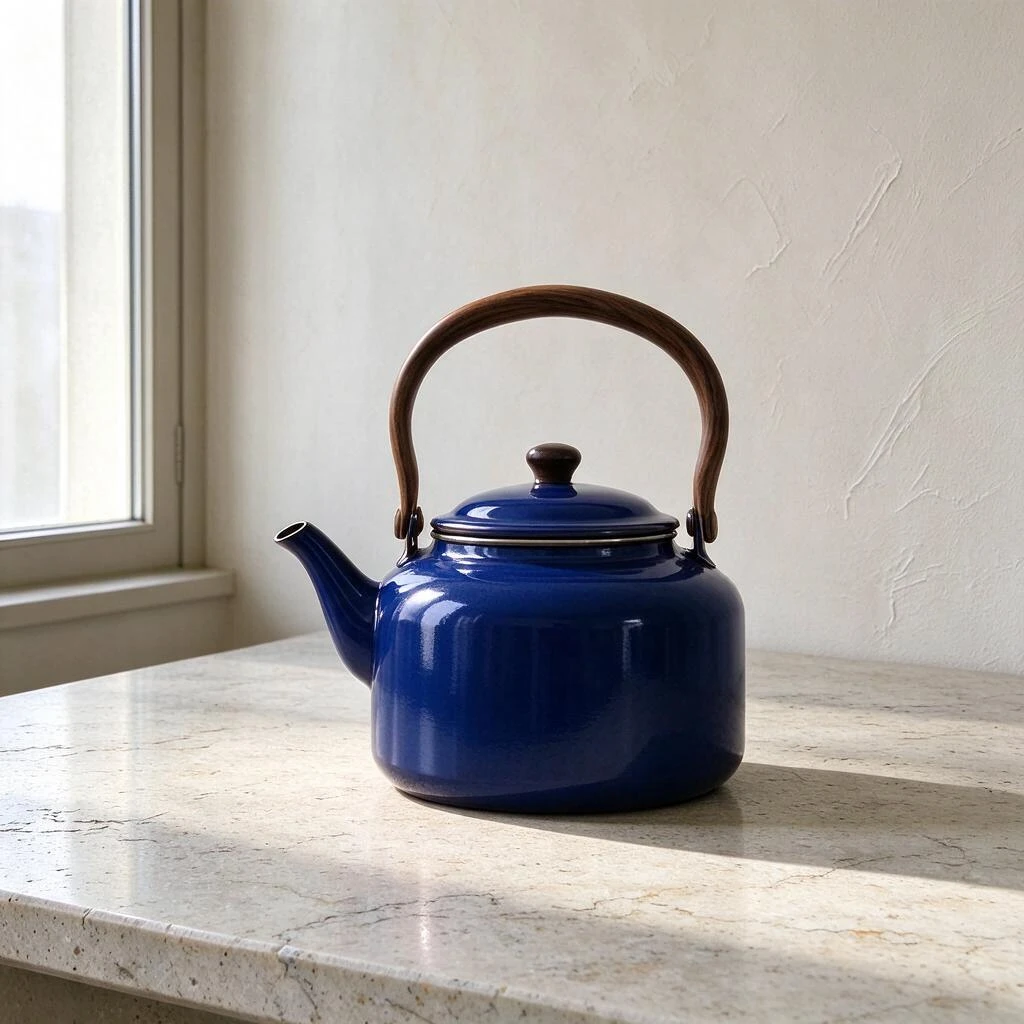
One kettle. One window.
Examples
What is Seedream 5.0 Flash?
It’s an image model for drafting or revising pictures. Start with a description for a new composition, a reference photo for a targeted edit, or finished artwork when you need a separate image layer.
THE EDIT BRIEF
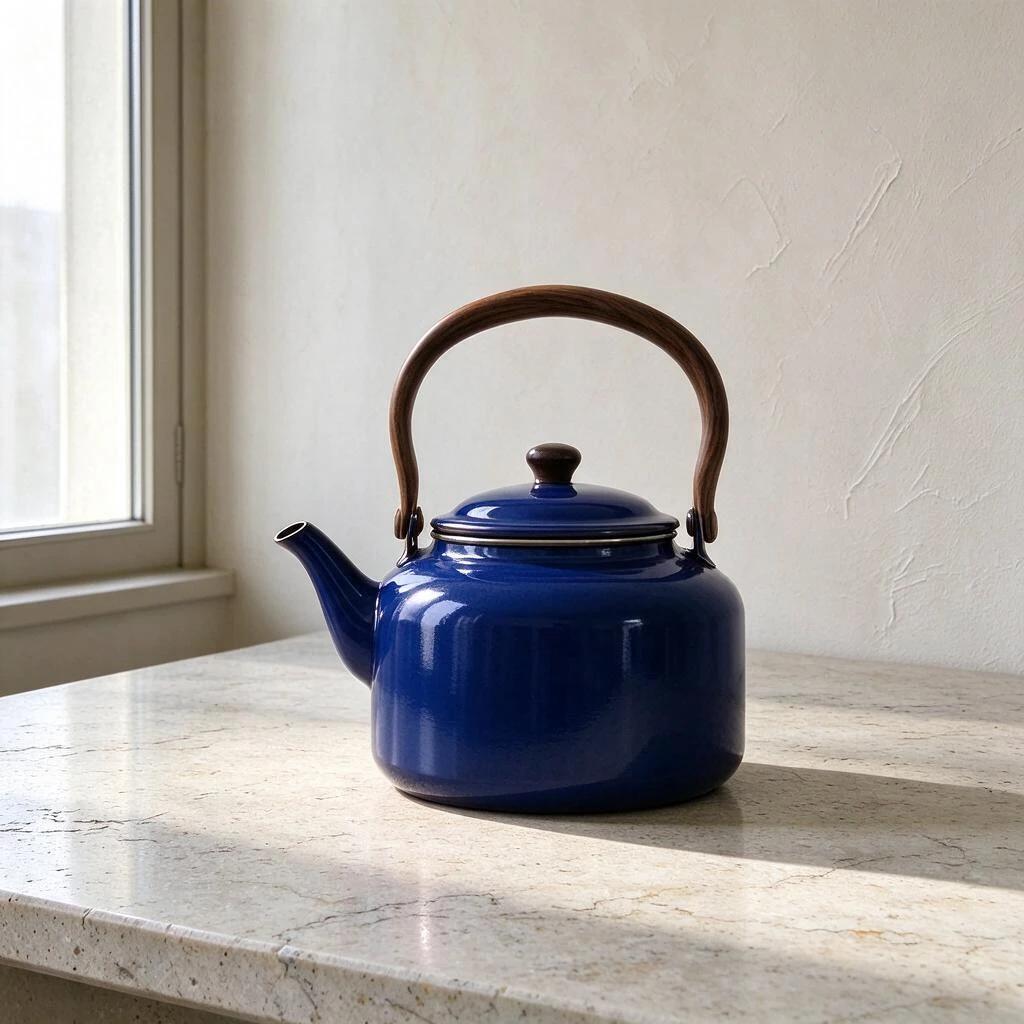
Change only the vermilion enamel body to deep ultramarine blue.
Compare the walnut handle and metal rim with the original. Both should survive the color change.
Give Seedream 5.0 Flash a subject, a point of view and a light source. If the scene feels crowded, remove a prop before adding another instruction.
STEP 02
Choose a starting point
Start with words, paste a picture into Reference edit, or choose Separate layers to take artwork apart. Choose by the file you want to receive.
STEP 03
Frame the composition
A poster needs headline space; a storyboard needs room between shots. Seedream 5.0 Flash shows only settings for the selected mode. Layer extraction keeps the source framing.
STEP 04
Generate and save
Check the cost, submit once and inspect the result at full size. Download your favorite. For a second pass, change one detail so you can see its effect.
Find your starting point
Choose an image to load its original prompt and settings. Change a color, rewrite the headline, and make the next version yours.
01 / Text to image · 1:1
One kettle. One window.
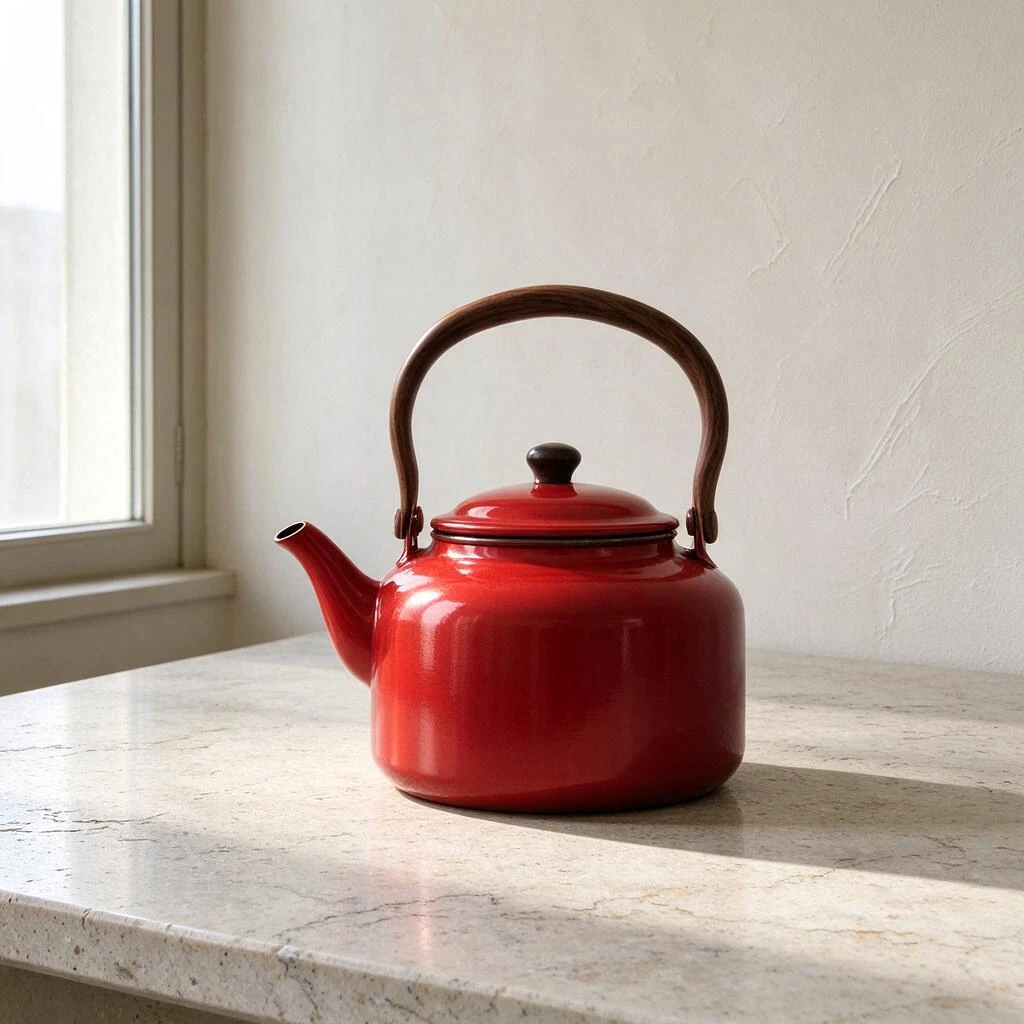
Start with a single product and give the light a direction. Notice the clear space beneath the handle and the long shadow on stone.
Original prompt
Photograph a single satin vermilion enamel kettle on pale limestone. Low three-quarter camera, square catalog composition, spout pointing left, walnut handle silhouetted against warm white plaster. One tall north window at camera left creates a long soft-edged shadow to the right. Leave clear air between handle and lid. No lettering, steam, props or graphics.
02 / Reference edit · 1:1
New color, familiar scene
Use the red kettle as a reference and ask for blue enamel. Compare the handle, metal rim and shadow before choosing your edit.
Original prompt
Change only the vermilion enamel body to deep ultramarine blue. Preserve the walnut handle, silhouette, camera position, limestone pores, window reflection and direction of the contact shadow. Keep the metal rim silver. Do not introduce another object or lettering.
03 / Separate layers · Source size
Keep just the carriage
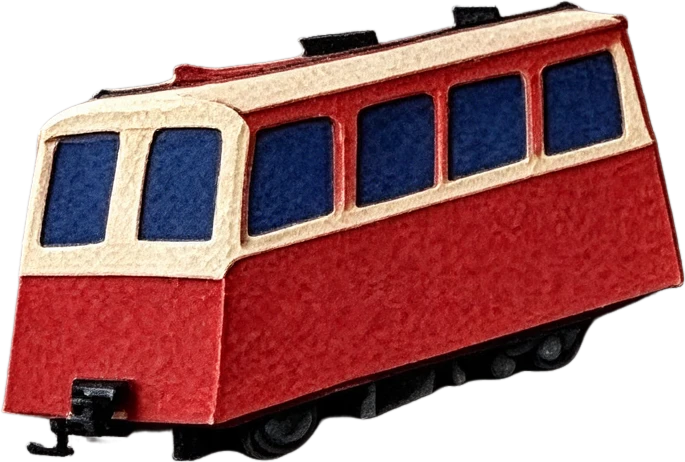
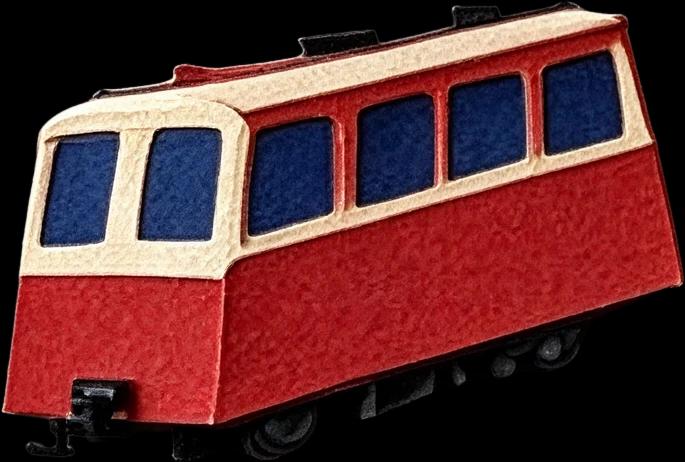
Separate the railway poster into image layers. Open the carriage file to inspect its edges and transparent surroundings.
Original prompt
Separate the red railway carriage, ivory foreground ridge and blue mountain backdrop into distinct image layers. Preserve their original positions and edges.
04 / Text to image · 3:4
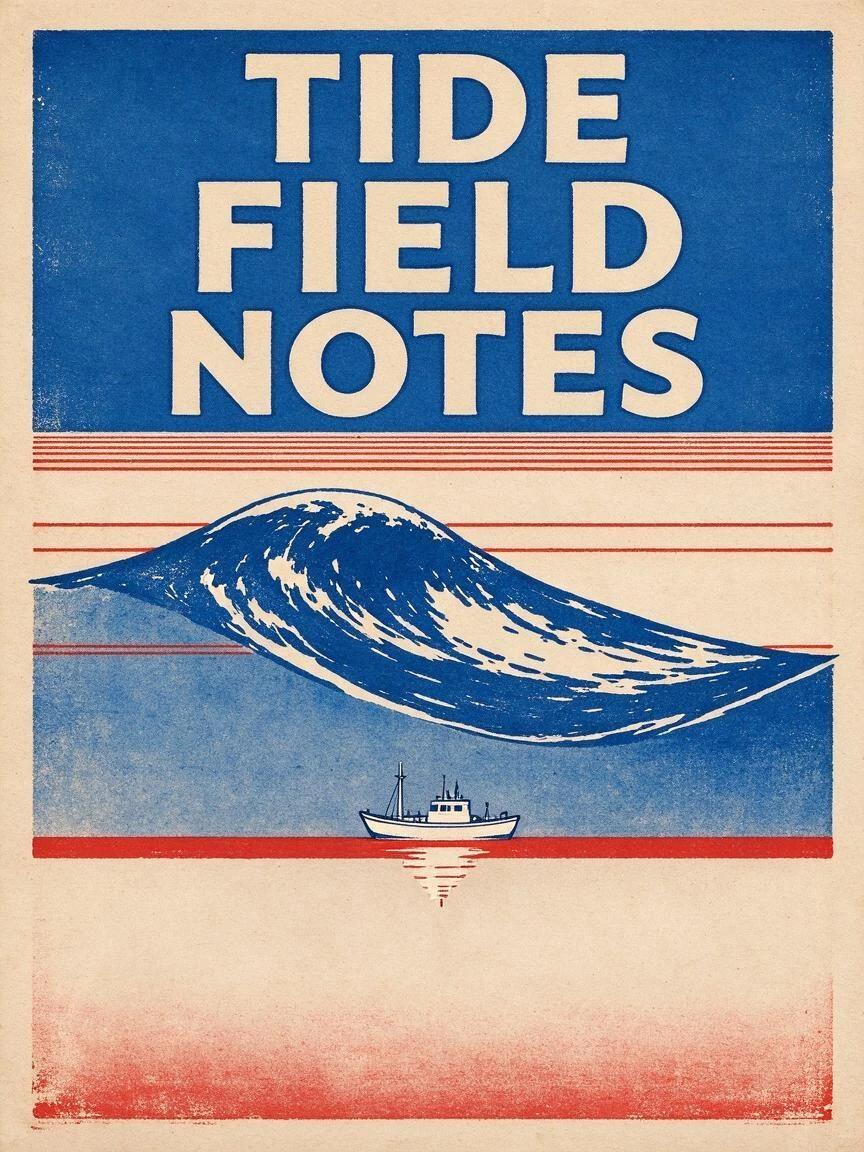
A poster with room to breathe
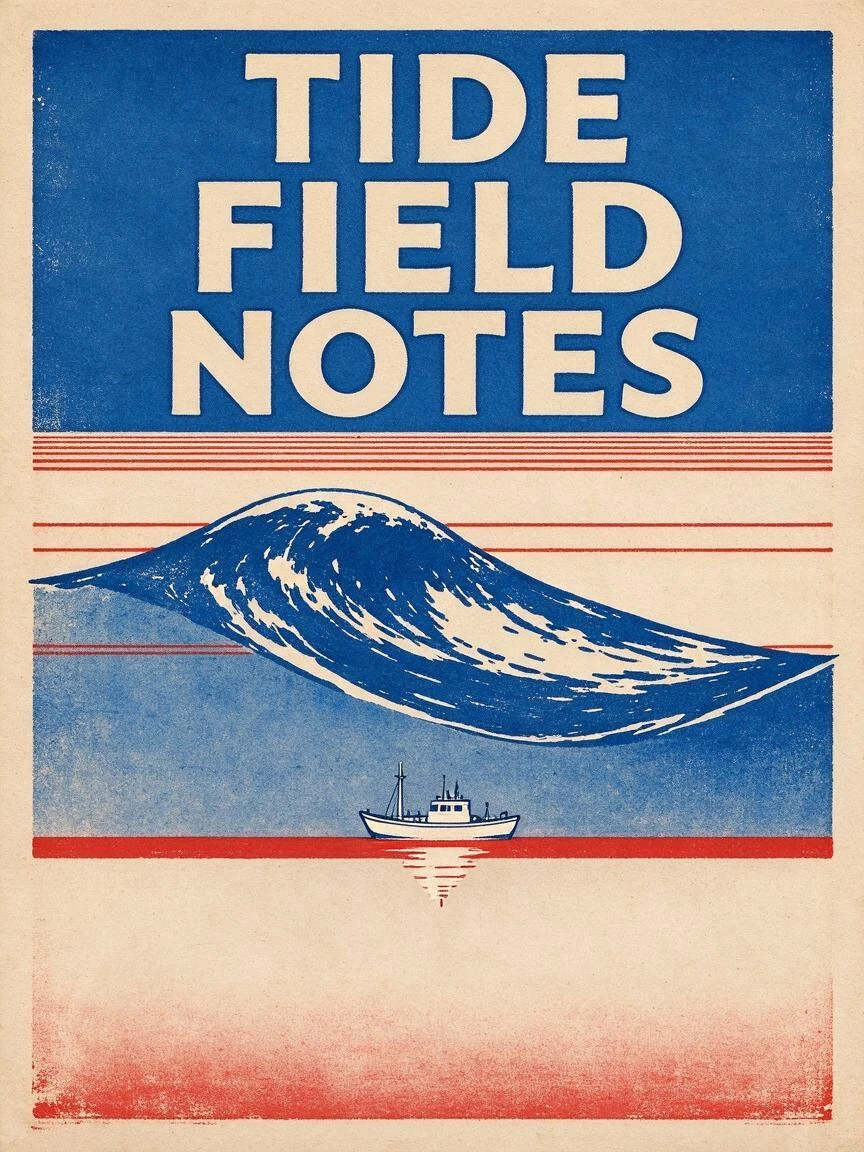
Three words, two inks, one wave. Keep the headline readable and inspect the spelling at full size before using the artwork.
Original prompt
Design a finished vertical screen-printed field poster for an imaginary coastal observatory. The only lettering is the exact three words TIDE FIELD NOTES, stacked in the top quarter in large cream condensed capitals. Below, a single ultramarine wave cross-section cuts across five thin vermilion depth lines. Place a tiny white survey boat directly above its own echo on the deepest line. Warm uncoated paper shows through the highlights; two ink colors only. Flat frontal artwork, generous margins, no mockup, no invented numbers, no ornamental text.
05 / Text to image · 4:3
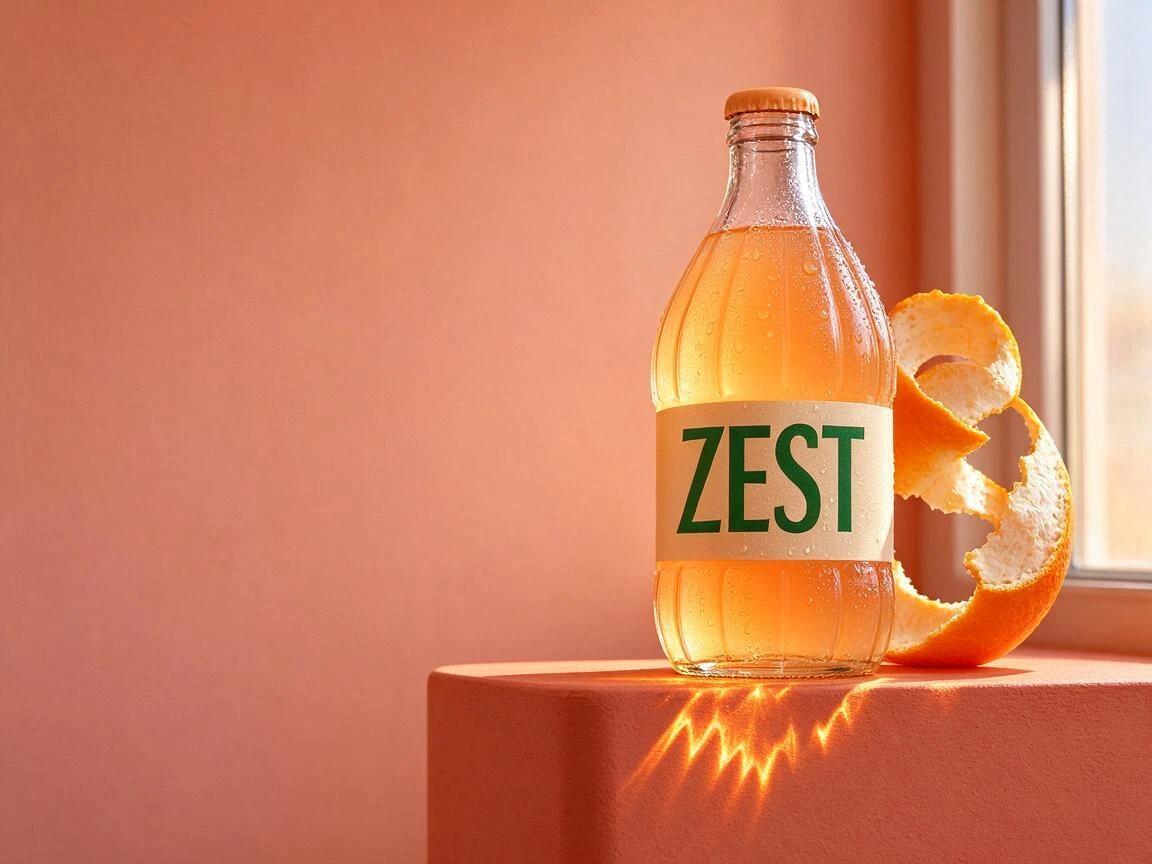
An afternoon worth bottling
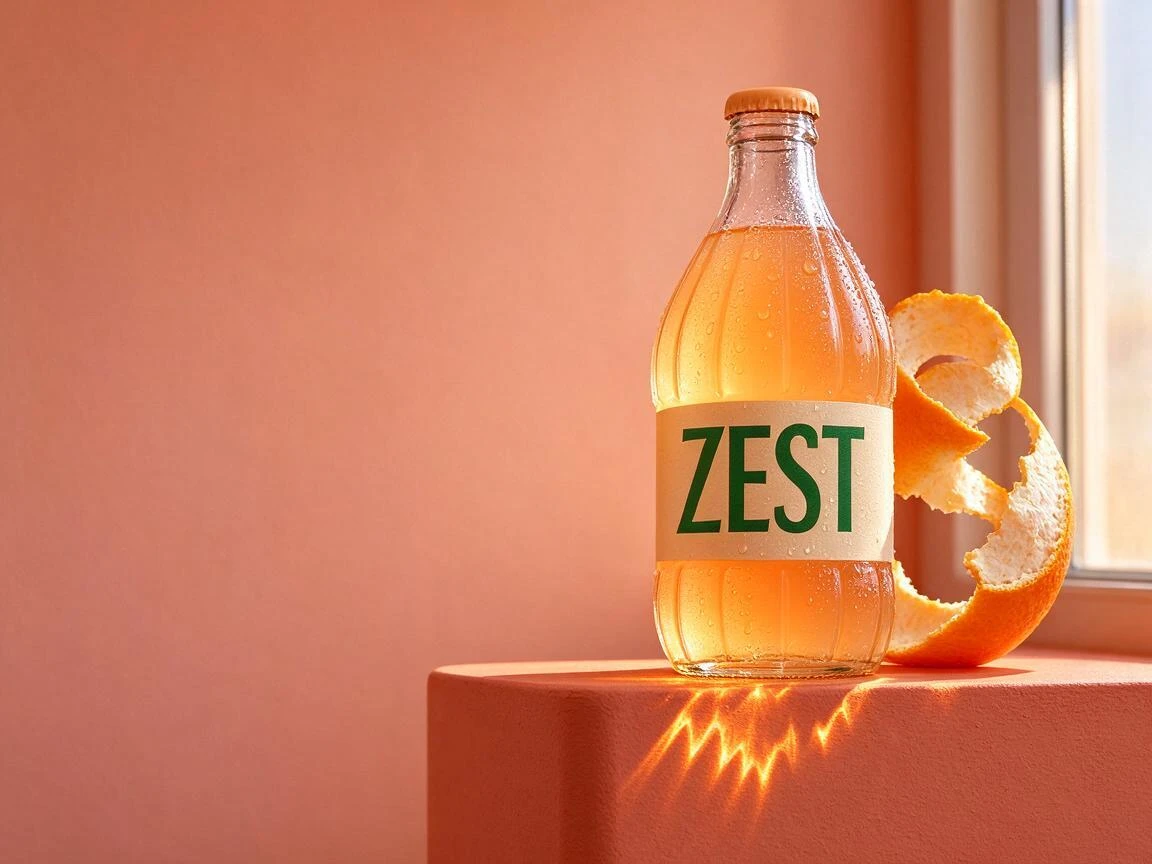
Place the soda on the right and leave the left side for your campaign. Look for separate textures in the paper label, glass and condensation.
Original prompt
Photograph one squat clear fluted soda bottle filled with pale mandarin soda on a matte coral plinth, cap attached. A narrow ivory label reads exactly ZEST in one dark green word. Arrange one peeled citrus spiral behind the bottle; leave the entire left third empty for campaign copy. Late afternoon light through a tall window on the right projects a serrated amber caustic onto the plinth. Preserve separation between label paper, cold glass and condensation beads. Eye-level 85 mm studio photograph, no hands, no extra bottle, no other typography.
06 / Text to image · 16:9
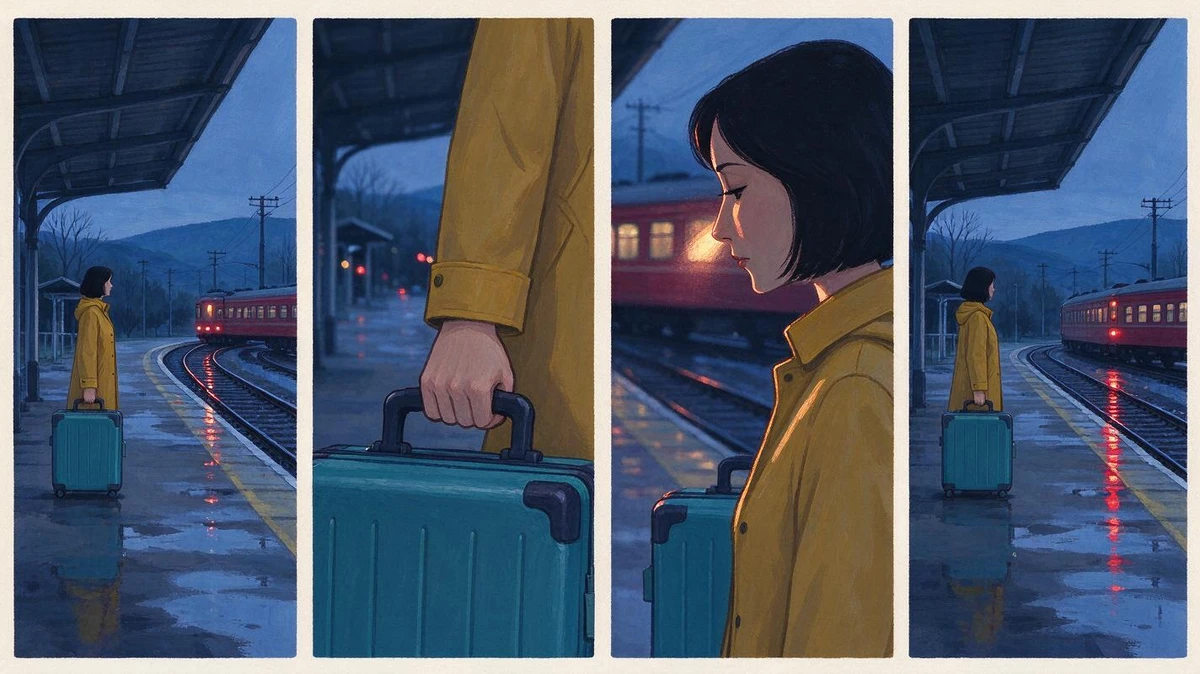
Four frames, one story
A raincoat, a suitcase and the last train. Check that wardrobe and screen direction connect the wide shot to the final frame.
Original prompt
Create one horizontal storyboard sheet with four equal panels and thin ivory gutters. A woman with a cropped black bob, mustard raincoat and square teal suitcase waits at a rural station after rain. In panel one a wide shot establishes the empty platform and distant red train. In panel two frame her hand tightening on the suitcase. In panel three show the carriage light brushing her face in profile. In panel four the train departs and a single reflection remains. Keep wardrobe, screen direction and blue-hour palette continuous. Gouache production art, no captions, no speech balloons.
What you can control with Seedream 5.0 Flash
Compose from a sentence
Tell Seedream 5.0 Flash where the subject sits and where the light falls. For catalogue work, leave space on the side where the price or caption will go.
Change a finish
Ask Seedream 5.0 Flash for blue enamel while retaining the wooden handle and silver rim. Compare the two kettle finishes before putting the new color in a presentation.
Guide an edit with references
Show the object you want to keep. When supplying several pictures, say which sets the shape and which sets the light, particularly if the camera positions differ.
Leave room for the layout
Tell Seedream 5.0 Flash which area should stay quiet. Try the actual crop in your banner or cover before setting a headline over it.
Inspect the details
Inspect reflections, edges and lettering at full size. A poster can look convincing across the room while a single incorrect letter makes it unsuitable for print.
Take a composition apart
Use Seedream 5.0 Flash to isolate part of an image. The railway study shows a carriage on its own; test its silhouette against another background.
Make something with a purpose
Three Seedream 5.0 Flash studies, each made for a different place your work might appear.
01 / Print
Make the headline part of the picture
Give Seedream 5.0 Flash the exact headline, its placement and a little breathing room. The wave poster uses three words and two inks. Inspect the lettering at full size, then shrink the poster to a phone thumbnail. Can you still read it?
One bottle, a surface and a direction of light are enough. The soda sits on the right, leaving the left side open for campaign copy. Look closely: the wet glass should catch light differently from the paper label.
Pitch a scene with a wide shot, a detail, a reaction and a closing frame. Repeat the clothing and props in the brief. Check that the suitcase is still the same suitcase when the train leaves.
Keep the part that gives the picture its composition. Change one detail before you generate.
One kettle. One window.
Photograph a single satin vermilion enamel kettle on pale limestone. Low three-quarter camera, square catalog composition, spout pointing left, walnut handle silhouetted against warm white plaster. One tall north window at camera left creates a long soft-edged shadow to the right. Leave clear air between handle and lid. No lettering, steam, props or graphics.
New color, familiar scene
Change only the vermilion enamel body to deep ultramarine blue. Preserve the walnut handle, silhouette, camera position, limestone pores, window reflection and direction of the contact shadow. Keep the metal rim silver. Do not introduce another object or lettering.
Keep just the carriage
Separate the red railway carriage, ivory foreground ridge and blue mountain backdrop into distinct image layers. Preserve their original positions and edges.
A poster with room to breathe
Design a finished vertical screen-printed field poster for an imaginary coastal observatory. The only lettering is the exact three words TIDE FIELD NOTES, stacked in the top quarter in large cream condensed capitals. Below, a single ultramarine wave cross-section cuts across five thin vermilion depth lines. Place a tiny white survey boat directly above its own echo on the deepest line. Warm uncoated paper shows through the highlights; two ink colors only. Flat frontal artwork, generous margins, no mockup, no invented numbers, no ornamental text.
An afternoon worth bottling
Photograph one squat clear fluted soda bottle filled with pale mandarin soda on a matte coral plinth, cap attached. A narrow ivory label reads exactly ZEST in one dark green word. Arrange one peeled citrus spiral behind the bottle; leave the entire left third empty for campaign copy. Late afternoon light through a tall window on the right projects a serrated amber caustic onto the plinth. Preserve separation between label paper, cold glass and condensation beads. Eye-level 85 mm studio photograph, no hands, no extra bottle, no other typography.
Four frames, one story
Create one horizontal storyboard sheet with four equal panels and thin ivory gutters. A woman with a cropped black bob, mustard raincoat and square teal suitcase waits at a rural station after rain. In panel one a wide shot establishes the empty platform and distant red train. In panel two frame her hand tightening on the suitcase. In panel three show the carriage light brushing her face in profile. In panel four the train departs and a single reflection remains. Keep wardrobe, screen direction and blue-hour palette continuous. Gouache production art, no captions, no speech balloons.
Seedream 5.0 Flash questions, answered
01
What can I make with Seedream 5.0 Flash?
Create a poster, product concept or storyboard from words. You can also change a reference photo or extract image layers. The examples pair actual results with their original briefs so you can start from a picture you like.
02
Do I need to upload an image first?
No. Choose Text to image to start with words. For a reference edit, paste a direct HTTPS image link. Open it in a signed-out browser first: a private album or local file path will not work.
03
How do I describe an edit without changing everything?
Name the change, then list what should stay. For the kettle, change the enamel but keep the handle, camera position, rim and shadow. Compare both pictures before approving the edit.
04
Can I use more than one reference image?
Reference edit accepts one to twelve image URLs, separated by spaces. Assign each picture a job: shape, materials or lighting. When two inputs disagree, say which one takes priority.
05
Which size and aspect ratio should I choose?
Choose a square for a product study, portrait for a poster or landscape for a storyboard. Try 1K, 1.5K or 2K. Layer separation offers Match source instead of an aspect ratio.
06
Will Separate layers give me an editable design file?
You get image assets, not editable type or vector paths. The railway example includes a base image plus mountain and carriage layers. Inspect the cut edges against your intended background.
07
Does choosing an example spend credits?
No. Loading an example only sets up the workspace. Edit the prompt, check the cost beside Generate and submit when ready. A reference example also fills in its source image.
08
What should I do if the image takes longer than expected?
Check the status beside the workspace, then My Creations before submitting twice. If an input fails, check the image URLs and reference count. Read the displayed error before retrying.
09
Where do I download my result?
Find the result beside the controls, or below them on a phone. Select Download image for the main output and open any separate layers individually. Check lettering and cropping before sharing.



 01 / Text to image · 1:1